For shops
A till, a stockroom and a scanner.
Everything a single-store shop needs at the counter, without the enterprise system in between.
- Scan it, sell itOne scan brings back the product and how much of it you have. The receipt prints on the 80mm thermal paper already in your till.
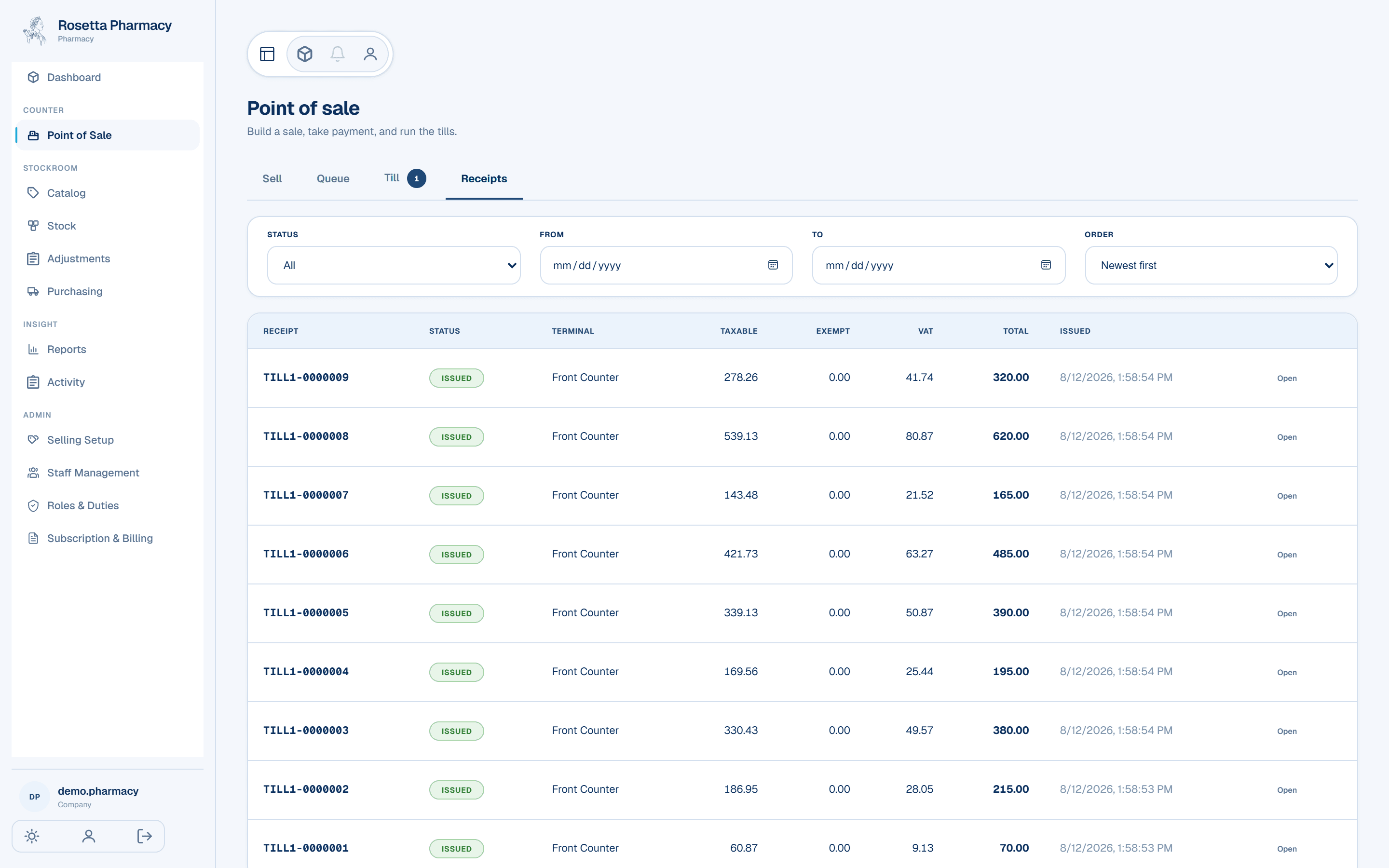
- Receipt numbers with no gapsEvery sale sits behind a numbered receipt carrying your registered tax identity. It is the paper an auditor asks for.
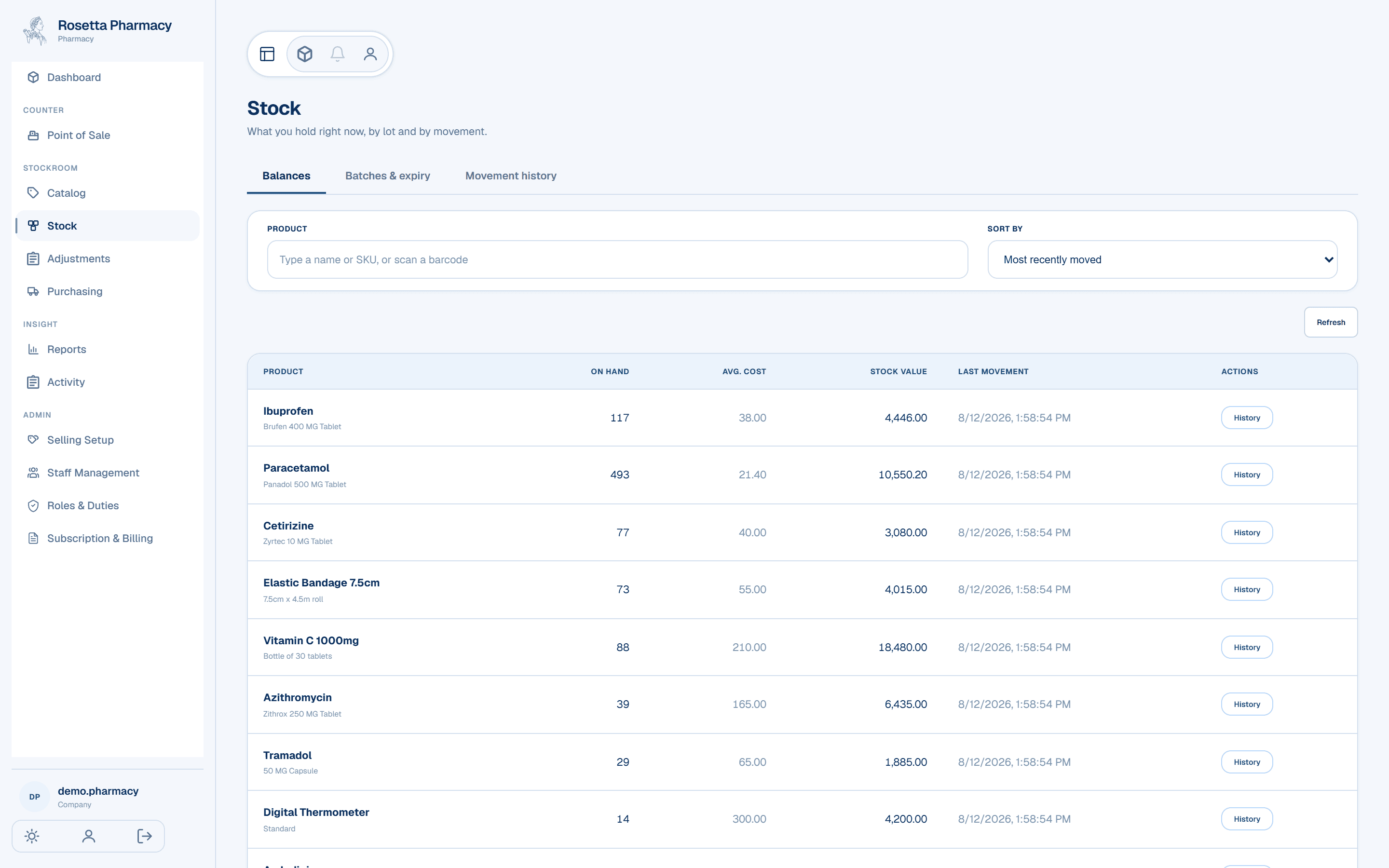
- Your shelves' worth at a glanceStock value updates with every delivery and every sale, so “what's it all worth?” takes one look, not a stocktake.
- The till can't oversellA sale the shelf cannot cover is refused at the counter, so the count on screen and the goods on the shelf do not drift apart.
At the counter
Scan, take the money, print
Products go into the sale by scan or by tap, the payment goes in, and the receipt prints on the 80mm thermal paper already in your till. There is nothing to install on the machine, so a spare laptop is a spare counter.
A sale the shelf cannot cover is refused rather than reconciled afterwards. That is the whole reason the count on screen stays worth trusting.
- One scan, one lineThe scan names the exact pack it was printed for, so the wrong size cannot ring up.
- Set a sale asideA customer who has forgotten something goes in the queue with their own number, and the counter is free.
- The drawer is countedA till opens and closes per counter, with cash in and cash out recorded against whoever is standing at it.
The paper
Receipt numbers with no gaps
Every sale sits behind a numbered receipt, and the numbers run unbroken per till. A number is only used if the sale actually went through, so a gap is not something you have to explain.
Each receipt carries your shop's registered tax identity and the VAT split, which makes the paper the customer takes home the paper an auditor asks for.
The stockroom
What your shelves are worth, without a stocktake
Stock value moves with every delivery and every sale, so the question takes one look rather than an evening with a clipboard. Cost is averaged as goods come in, which is what keeps the figure honest when the same product arrives at two prices.
Low stock is its own list, so what needs reordering is a screen rather than a memory.
The record
Corrections you can account for
Breakage, a miscount, a return to the supplier: each correction is recorded against the reason someone picked and the name of whoever made it. Nothing is rewritten after the fact, so last month reads the same next year.
That record is also what the reports read, so the sales and stock movement figures are the same events rather than a second set of numbers.
- Reasons you defineYour own list of why stock moved, rather than a fixed set of ours.
- Reports you can take awaySales, purchasing and stock movement over any range, exported as a CSV your spreadsheet opens.
Your team
You take people on, and you say what they may do
Add a store manager or a cashier and the account exists as soon as you save it, with a one-time password that Martreza emails and shows you once. They change it when they first sign in. There is no seat to buy for each person and no invitation to chase.
A cashier gets the till, whoever receives deliveries gets the stockroom, and you decide who gets which. Change your mind and it binds on that person's next action, with no sign-out and no waiting, so nobody has to learn the whole system on their first day.
- A till is cleared by nameBeing a cashier is not the same as being allowed at the drawer today. You clear a person, and withdrawing it asks you for a reason the counter then shows them.
- Withdrawn, not deletedSomeone who leaves loses access on their next request and keeps their name on everything they recorded. Costs and margins can be kept off a screen entirely rather than hidden behind a field somebody could uncover.
Getting started
Bring the customers you already keep
Upload your customer list as a CSV — often straight from your fiscal till. You match your column names to ours once, then every customer is on screen with anything wrong pointed at, and you fix it there. Nothing is written until you say so.
Products start from the shelves: enter them and record what is on hand as your first deliveries.
- A long list goes in a part at a timeA part that is refused writes nothing at all, and sending the file again picks up where it stopped: anyone already in comes back as already a customer, not twice.
- Your column names, not oursThe mapping is remembered for next time, and it is the only thing an abandoned import leaves behind.
Being straight with you
What it does not do today
Worth knowing before you switch, not after. If one of these is how your shop runs, tell us and we will say plainly whether Martreza fits.
- No supplier orderingYou record deliveries as they arrive. Raising the order with your supplier still happens the way it does today.
- No loyalty or pointsThere are no customer accounts, no points and no stamp cards.
- One store, not a groupMartreza runs a single storefront. There is no screen for managing several branches from one account.
- CSV, and new products onlyThe importer reads a CSV file rather than an Excel workbook, and it creates products rather than updating ones you already have.
- No online storeMartreza is the counter and the stockroom. It does not sell to the public for you.
What it costs
Plans and trial lengths are on the main page, taken from the live plan list rather than written here.
See the plans- Write
- [email protected]
- Sales
- 0985 692 561
- Support
- 0906 660 508